
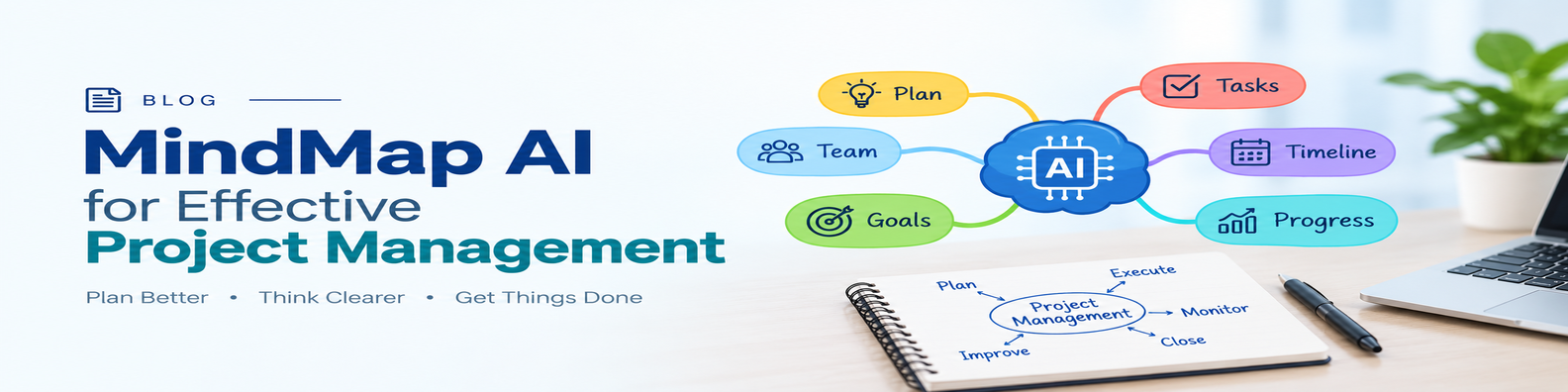
I have been exploring MindMap AI for some time, and its steady addition of practical features convinces me that it can be a powerful companion for any project manager.
Especially for shorter duration projects this can be really useful in the sense that your one mind map could hold the entire project while navigating you to the finish line.
Project Start: A new beginning..
If you are new to mind mapping, your starting point may be a project brief, requirements document, meeting notes, or a recorded kickoff. MindMap AI can use any of these inputs to generate a project mind map that includes key milestones. Alternatively, you can import existing maps from MindManager, XMind and other tools directly.
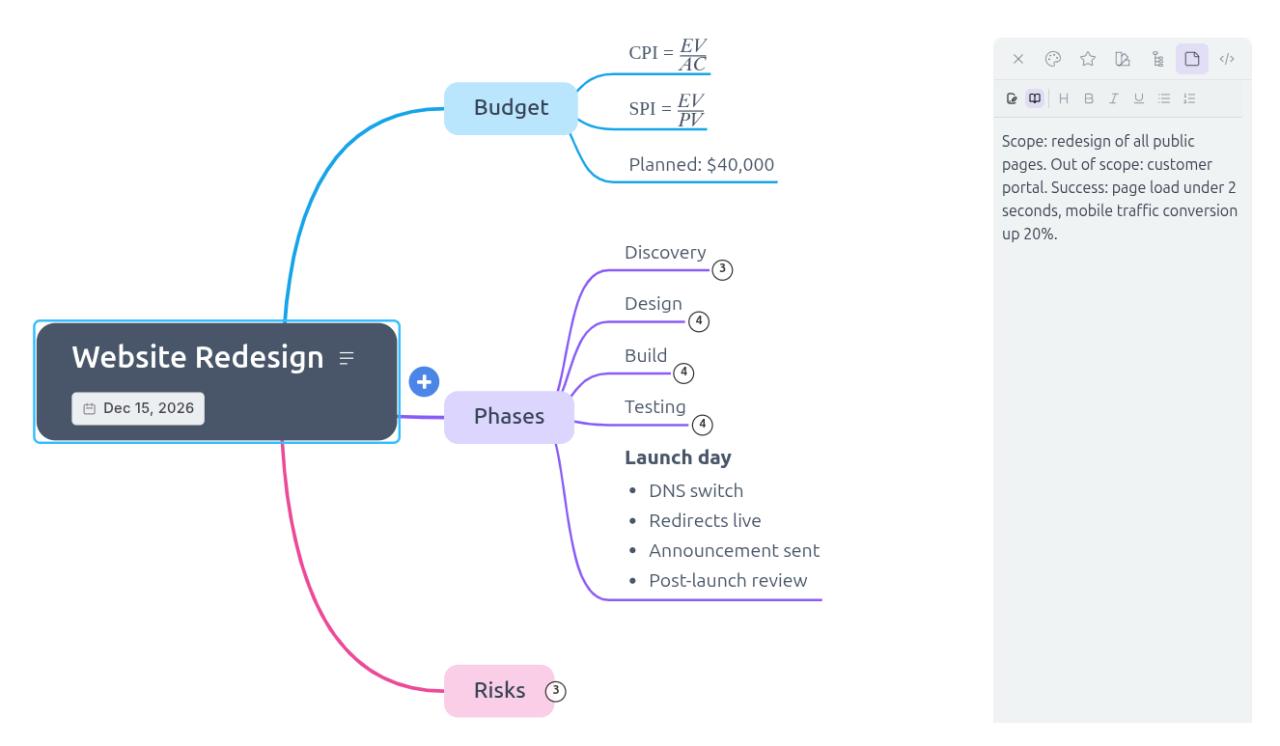
The real value becomes clear as the project progresses: you can retain a one-page overview while allowing the underlying detail to grow. Features such as notes attached to nodes store supporting text, while collapsible and summarized branches keep the map readable. Beyond notes, the text on the node itself can carry formatting too, with Markdown for headings and lists, and LaTeX for formulas such as CPI and SPI.
Project Execution: The busy mid-life…
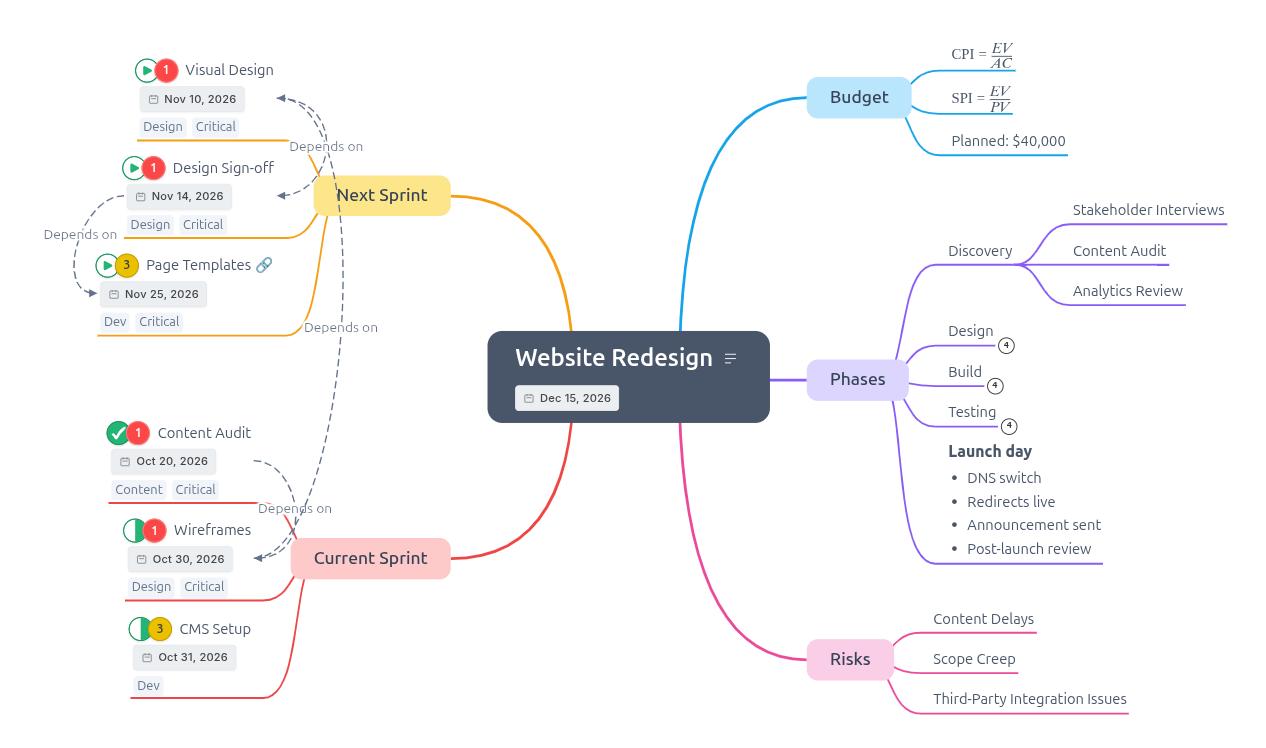
Several features help you track the project directly on the map. Node widgets can display priority, task status, and due dates; tags and symbols can identify phases or owners; and arrows can show dependencies across branches. Any node can also link to the ticket or document behind it, and tagging the zero-float tasks turns those arrows into a visible critical path.
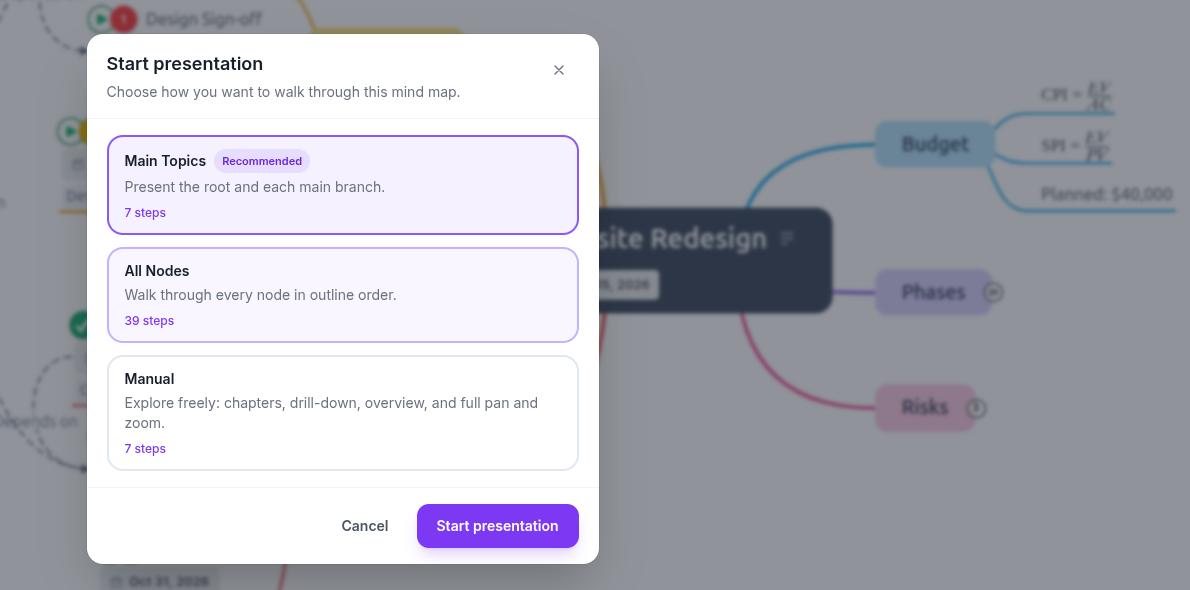
Another key advantage which I really like is how easily the map can be shared with team members and stakeholders. Three presentation modes let you walk audiences through the map, while live-sync links support team collaboration. You can also embed the map on a project page or export it as a PDF, image, or spreadsheet when needed. The outline view shows the same map as text, and links inside the map stay clickable in the PDF.
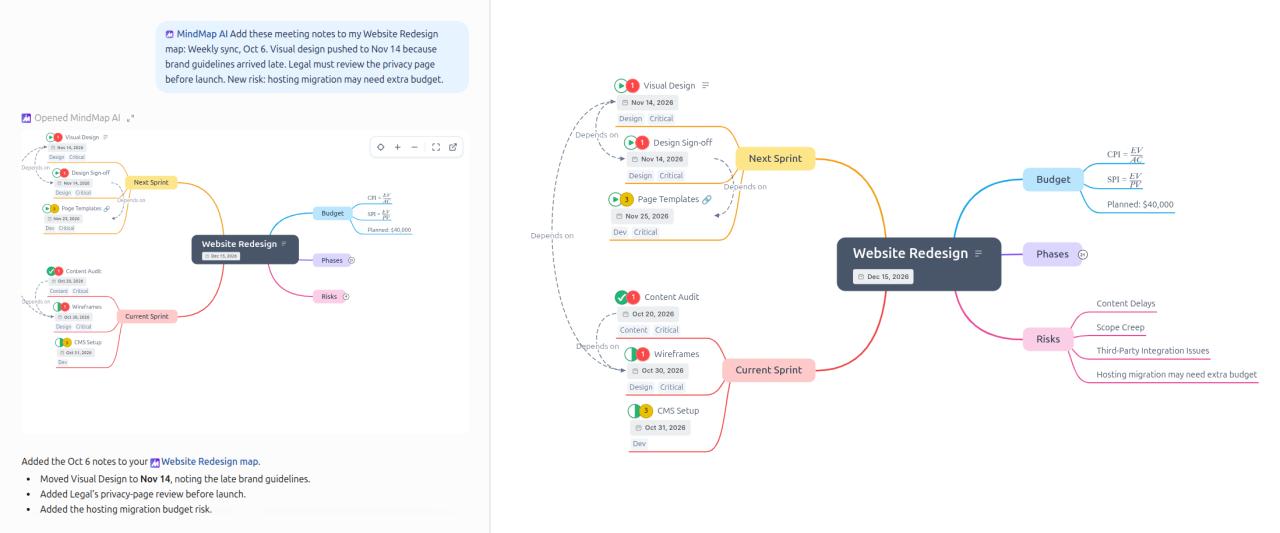
Using the MCP connector, ChatGPT, Claude or any AI assistant that supports MCP can add the week’s meeting notes to the existing map, answer questions about its content, and update it in place rather than create a new map.
The Project End:…a time to retrospect
By the end of the project, the mind map has grown into a comprehensive record, capturing even the smallest details. The team can then use it to document individual and collective lessons: what went well and what could have been done better. With those insights captured, the team is ready for the next project.
Discover more about using AI Mind Mapping here: Leveraging MindMap AI for Planning Across an Organization’s Hierarchy
Need help to get started using Mind Maps in Project? Check out my book Mind Maps for effective project management